Summaries and key points
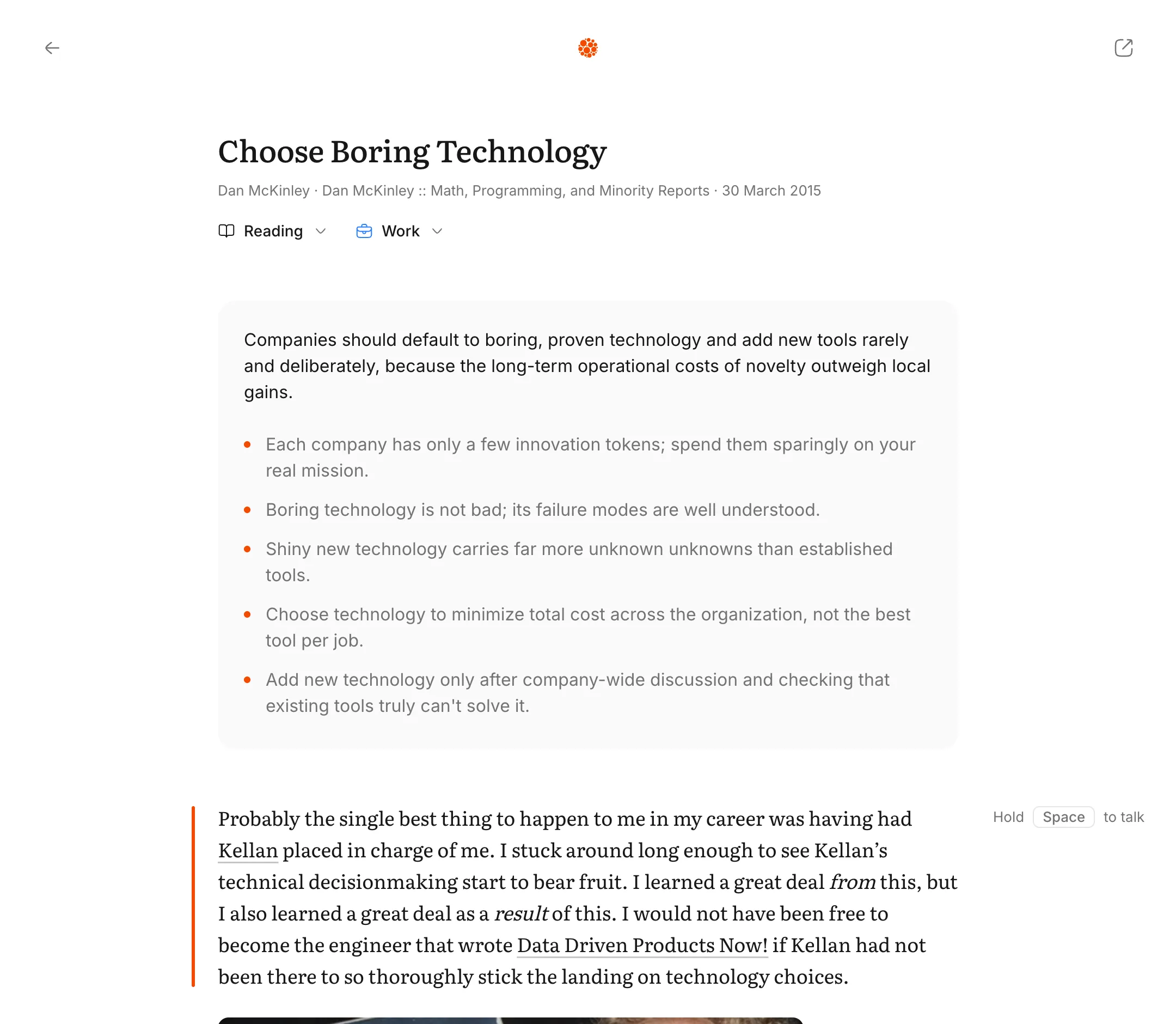
Every article and book in Muesli now opens with a short summary. One sentence says what it argues, so you know what you’re reading for before you start.
Key points
An article also gets up to five key points, in the order it makes them. Click one and the reader jumps to the paragraph that makes it. Read the part you came for, or use the points to find your place again.
Books
A book gets one sentence on what it argues, above its outline. It’s the claim, without the blurb’s praise.
In your library
Hover a row in your library to see its summary without opening it. It’s a quick way to choose what to read next.
On iPhone
Muesli for iPhone is coming soon, and summaries come with it. Touch and hold anything in your library to see what it’s about. Tap Open and the summary is there above the text.